Canonicals design system documentation
- Year
- 2025
- Type
- Work Project
TL;DR
Led the documentation effort for Canonical's design system, working with four designers to produce 79 documentation pages. Built the rendering pipeline and website. Created an AI agent skill for querying the docs and a meta-prompting framework (with a content designer) that walks writers through the documentation process while enforcing brand voice and completeness standards. Adopted by the majority of the 30-person design team.
For a long time, knowledge of Canonical’s design system lived in people’s heads. There was no centralized place where designers could look up how a component was supposed to be used, what properties it had, or what the agreed-upon patterns were. If you were diligent, you’d ask someone more familiar with the design system. Often that someone was me. If you weren’t as diligent, you’d go with your best guess. And different people’s best guesses led to different implementations.
The cost of not writing things down
The result was inconsistency across Canonical’s portfolio. Tables are a good example. They’re everywhere in Canonical’s products, often with advanced functionality. But because table usage was never properly documented, different teams designed and implemented them in vastly different ways. Users moving between Canonical products would encounter noticeably different experiences for what should have been the same component.
Documentation hadn’t been a priority. Onboarding new designers into the design system meant absorbing “lore,” attending meetings where more experienced designers discussed designs, and gradually picking up conventions through osmosis. Not a very efficient process.
Making the case
I’d been advocating for investing in documentation for over a year. The arguments were straightforward: if there are no written rules to be consistent with, how can you expect consistency? How would you even measure how well you’re doing?
What finally created the opening was a mandate from senior company leadership to make Canonical’s products more consistent and coherent with each other. I pointed to the lack of documentation as one of the main drivers of inconsistency. Without a shared reference, there was no way to align on how things should be done, let alone measure how well we were doing. The argument landed, and I was given the opportunity to lead the documentation effort, working with three other designers.
Structured documentation
Minimum documentation
We wrote the documentation as structured data, stored as JSON. This was a deliberate choice aligned with the overall direction of our new design system. Structured data makes the documentation easier for agents to consume and query, which turned out to be important for the AI tooling I built later. The primary editing happens in Coda (similar to Notion), which makes the writing experience more accessible for the team, and I export and transform the data into JSON.
We divided the work based on expertise. Each of us was more familiar with different parts of the design system, so we each took the components we knew best. To keep the scope manageable, we agreed upfront that the first pass would cover minimum documentation: the anatomy of each component (its parts), usage guidance (when to use it, when not to), and configurable properties. Not exhaustive, but enough to answer the most common questions designers had. We could deepen the documentation over time.
79 documentation pages were written in this first pass.
Making docs accessible
Writing the documentation was officially part of the mandate. Rendering and publishing it was not. But documentation nobody can access is not very useful. The team accessing the docs in Coda would not have been feasible. It’s not a tool they’re familiar with and hard to navigate as a documentation reader.
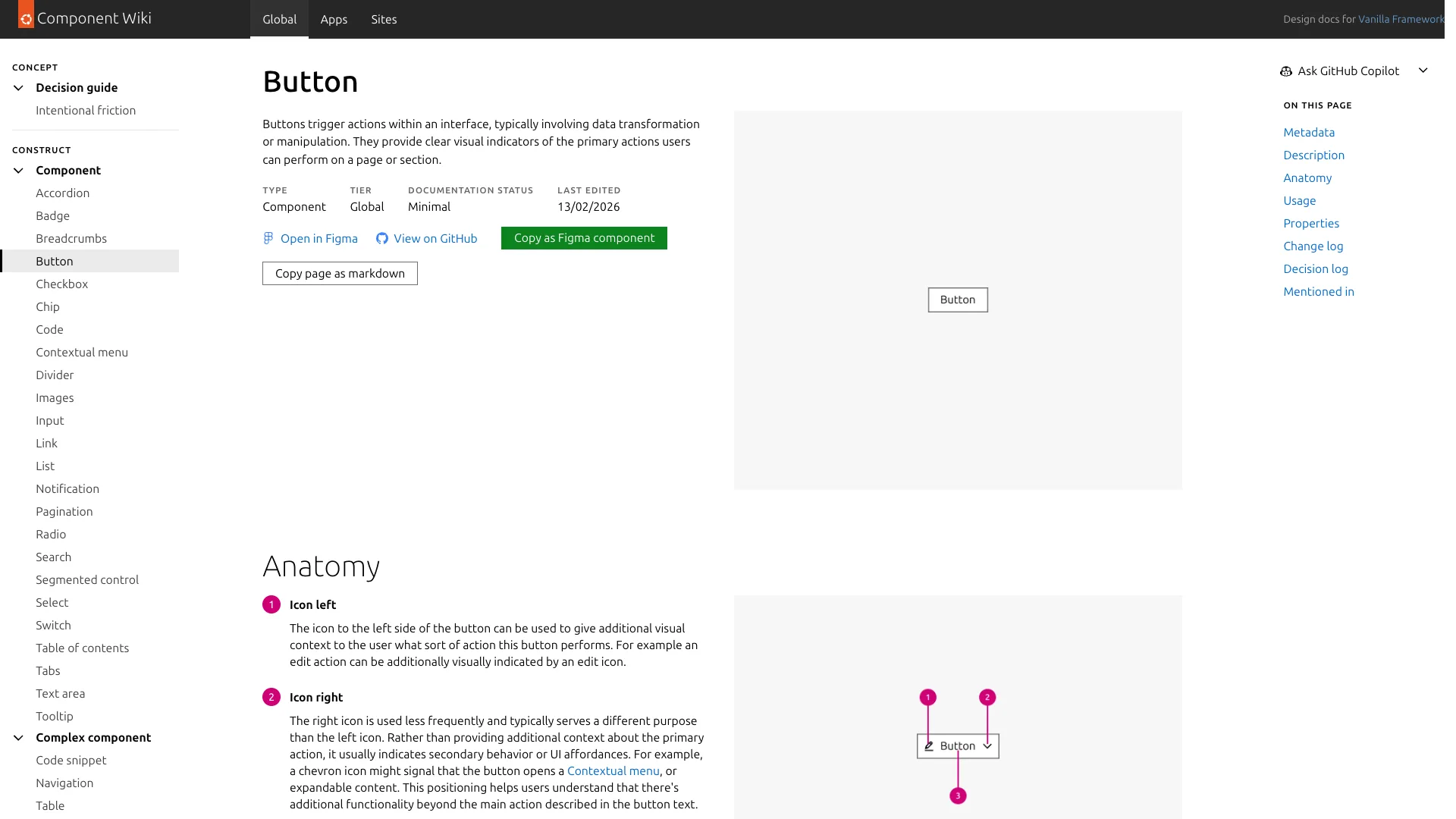
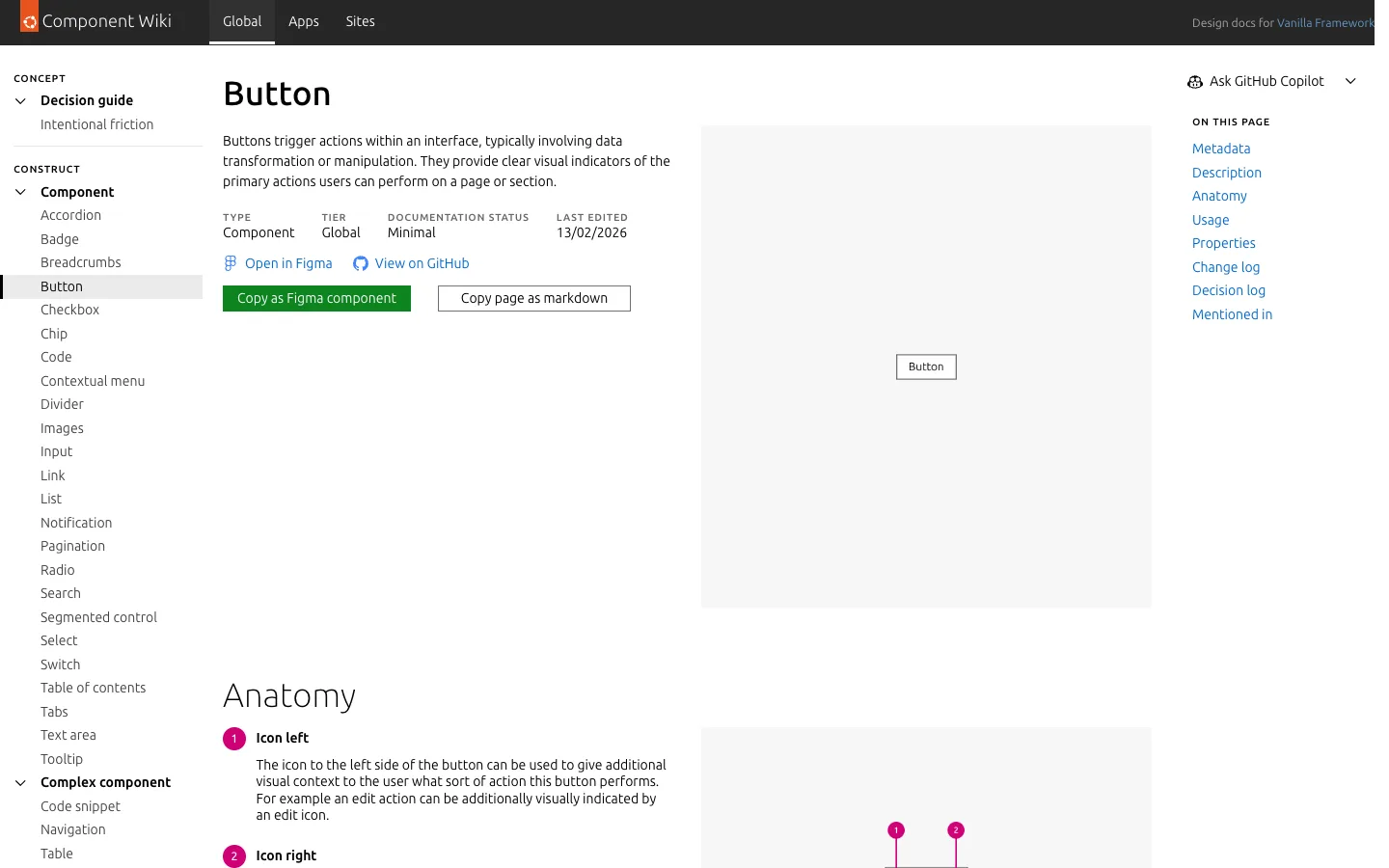
So I built the pipeline myself. A mechanism to pull data out of Coda (which turned out to be harder than expected, Coda’s API is not the easiest to work with for bulk data export), a package that transforms the raw data into formats usable by both the website and the agent skill, and a simple Astro site that renders the documentation.
The reaction from the team was very positive. Designers had been wanting something like this for a long time, not just that we document things properly but that the docs are delivered in an easily accessible way.
An agent skill for the docs
A docs website is useful, but it only helps if the designer stops what they’re doing, opens the site, and finds the right page. In practice, a lot of design system questions come up mid-workflow, while you’re already working in a tool. And often the answer isn’t on a single page but scattered across multiple component docs. An agent that can query the documentation and synthesize an answer from across multiple pages is genuinely more useful in those moments than browsing a website.
Because the documentation is structured data, I was able to build an agent skill that lets designers query the design system documentation through any coding agent that supports skills.
The skill works by giving the LLM awareness of the data structure and examples of jq commands it can run to explore and filter the documentation. Since jq is a very common CLI tool that LLMs have extensive exposure to in their training data, they’re very good at using it. A designer can ask something like “how should I align buttons in a UI?” and the agent will query the docs, find the relevant usage section, and answer based on what’s actually documented, with sources.
For now it’s a standalone skill. A few of the more technical designers who use CLI-based coding agents already work with it. We’re currently exploring building a website-based agent to make it accessible to the wider team.
A framework for writing docs
The bigger AI tooling project was a meta-prompting framework I built together with our content designer: Dockit.
The problem we wanted to solve was speed. Writing good documentation is slow. But we were very clear about one thing: the framework should not generate documentation by itself. If you let an LLM write design system docs from scratch, you get generic documentation based on its training data. That’s not useful. Our documentation needs to answer questions specific to Canonical’s products, our users, and the decisions our team has made. For that kind of specificity, a human has to do the thinking.
What the framework does instead is walk a writer through a structured process. It has six phases: Discovery (understanding what you’re documenting and for whom), Structure (defining which sections the doc needs), Vomit drafting (the writer dumps raw content without worrying about quality), Revision (the framework rewrites the draft to match our brand voice and readability standards), Review (four specialized agents evaluate voice, readability, completeness, and copy in parallel), and Polish (addressing findings and finalizing).
The key insight is where the human-AI boundary sits. The writer does all the thinking: what to document, the usage guidelines, the do’s and don’ts, the decisions about when to use one component over another. They can write it as rough bullet points if they want. The framework then helps turn that into polished prose that follows our documentation standards, checks it against our requirements, and iterates until both the standards and the writer are satisfied.
Working with the content designer was essential for this. I brought the technical understanding of LLMs and agents. They brought content writing expertise, which is what this is fundamentally about. There was an existing Canonical brand voice, but nothing specific to documentation. We adapted it together for design system docs, with the content designer leading that definition.
Adoption
The documentation has been rapidly adopted by the team. A majority of the 30-person design team are already using the docs regularly. I get fewer questions now, and when I do, I can often link directly to the relevant documentation page. The other writers on the documentation project have already used the meta-prompting framework for their own contributions.
It’s still early days. The documentation is a fresh product and I think we’ll only see the full impact on consistency across the portfolio as more time passes. But the foundation is there: 79 documented components, a website the team actually uses, an agent skill for programmatic access, and a framework that makes writing the next batch of docs considerably faster.